

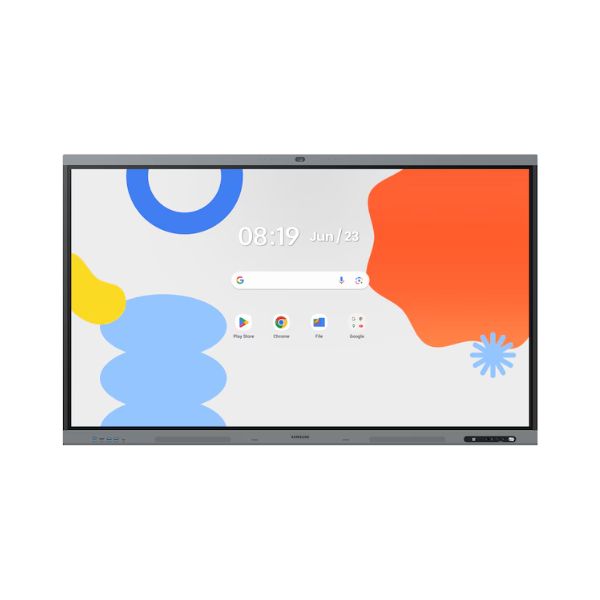
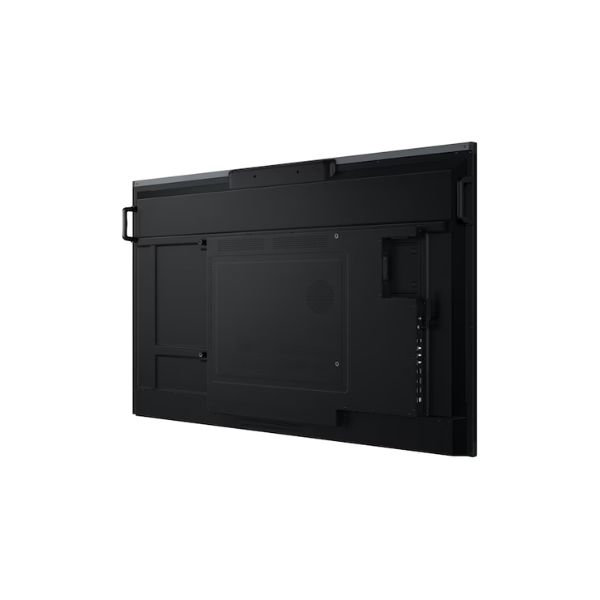
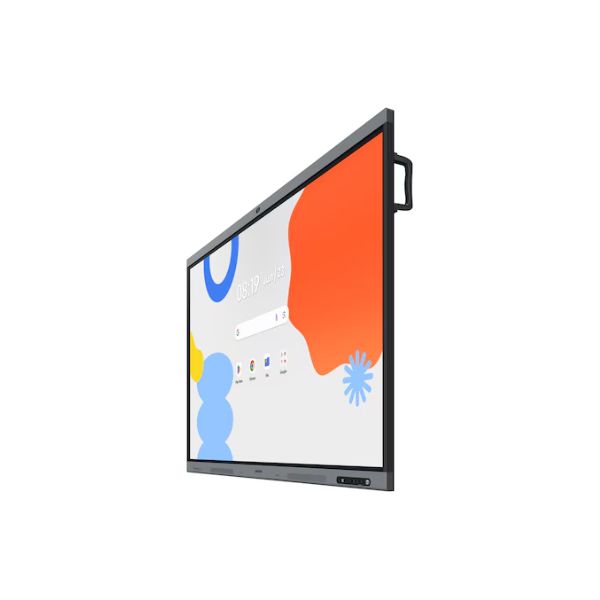
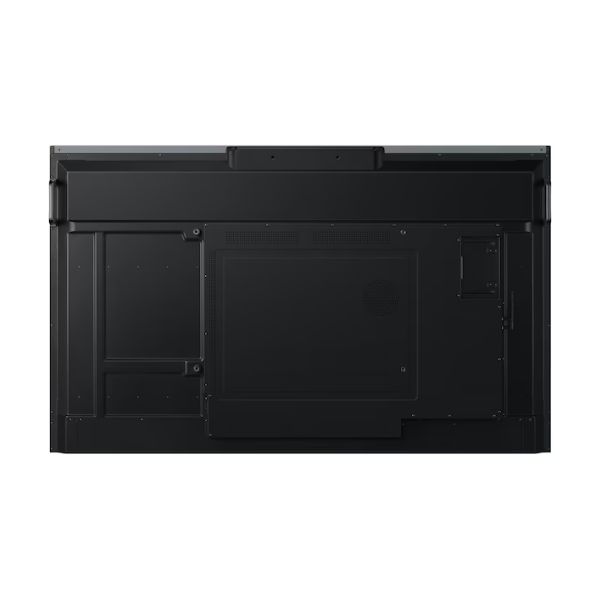
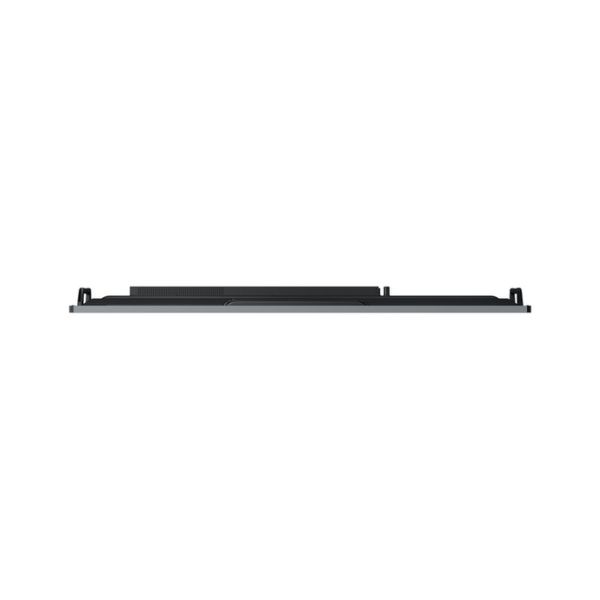
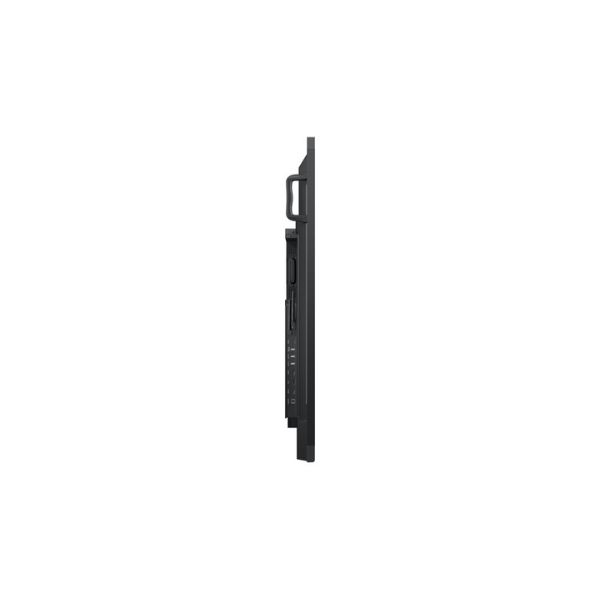
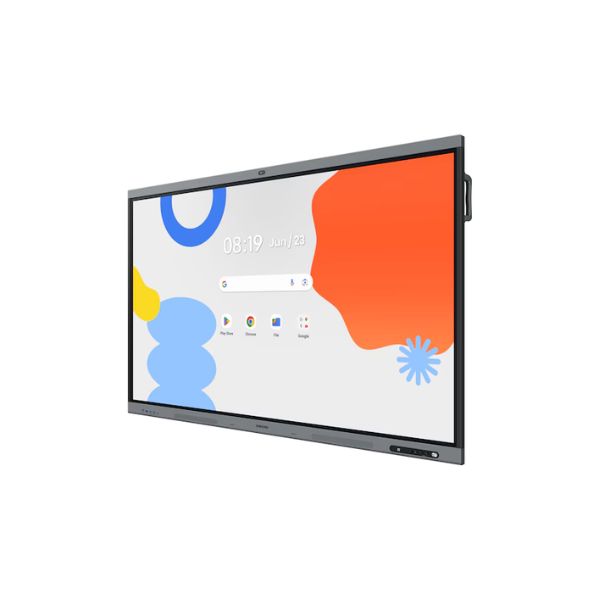
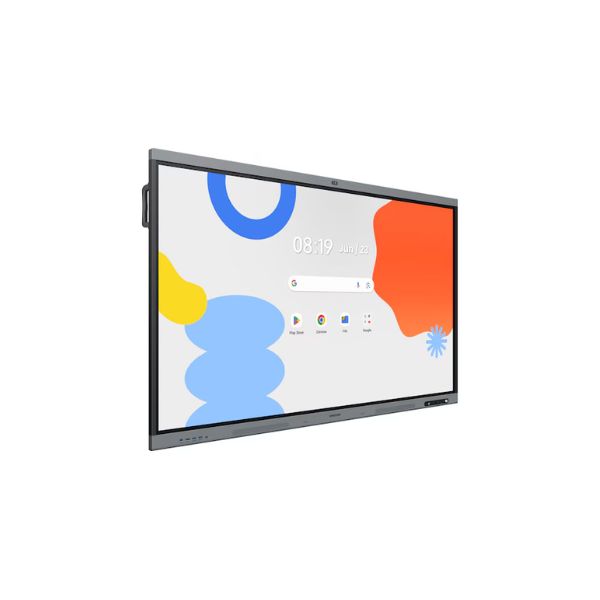
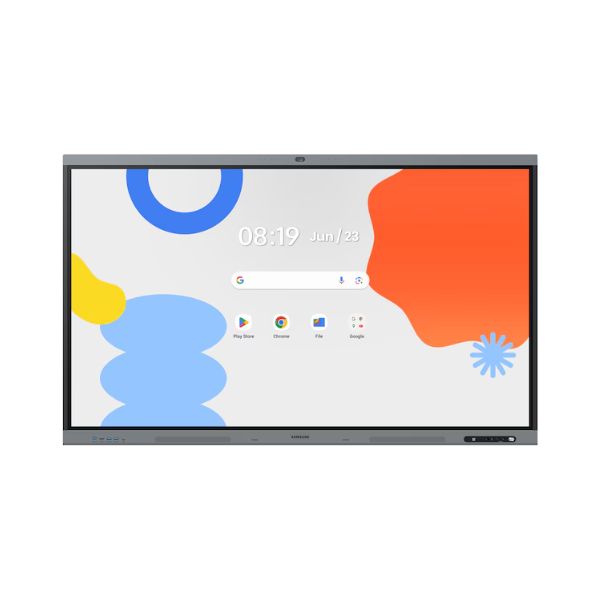
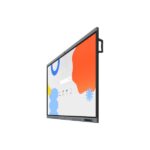
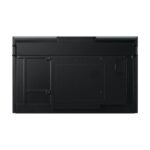
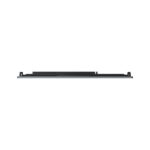
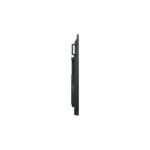
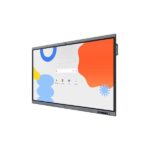
Samsung 65WAFX-P 65-inch Interactive Display – A Powerful 4K Collaboration Hub
Key Features
- Display Size: 65-inch IPS panel
- Resolution: 4K UHD (3,840 x 2,160)
- Brightness: 450 nits for clear indoor visibility
- Touch Technology: IR multi-touch interactive input
- Operating System: Android 15 with 128GB storage
- Connectivity: HDMI 2.1, DP 1.2, USB, RJ45, RS232
- Wireless: Wi-Fi 6 (802.11ax), Bluetooth enabled
- Viewing Angle: 178°/178° wide visibility
- Operation Time: 12/7 continuous usage support
- Design: Aluminium frame with slim bezel (14.9mm)
What Comes in the Box
- Samsung 65-inch Interactive Display 65WAFX-P unit
- Power cable
- Basic installation accessories (mounting components may vary by region)
- User manual and quick setup guide
65 Inch Large Interactive Display For Collaborative Workspaces
The Samsung 65 Inch Interactive Display 65WAFX-P features a 65-inch diagonal screen size, making it suitable for medium and large classrooms, meeting rooms, and training environments.
The large screen ensures that content remains clearly visible from different seating positions. In addition, it allows multiple users to interact with the display simultaneously without overcrowding the workspace.
Because of its size, the display supports group discussions, visual presentations, and collaborative brainstorming sessions with ease.
Ultra HD 4K Resolution For Sharp And Detailed Visual Output
The Samsung 65WAFX-P display features a 3,840 x 2,160 Ultra HD resolution, which delivers four times the detail of Full HD.
This high resolution improves clarity in several ways:
Text appears sharper and easier to read even at smaller font sizes
Images retain fine detail and texture
Charts and diagrams remain precise and visually structured
Videos appear smoother and more realistic
As a result, both educational and business content becomes more engaging and easier to interpret.
IPS Panel Technology For Wide Viewing Angles
The Samsung 65WAFX-P display uses IPS panel technology, which ensures consistent color and brightness across wide viewing angles.
The Samsung 65WAFX-P viewing specification includes a 178-degree horizontal and vertical viewing angle, meaning content remains clear even when viewed from extreme side positions.
This is particularly important in collaborative environments where participants are seated at different positions around the room.
IPS technology ensures:
Color consistency across the screen
Reduced color distortion at angles
Better visibility for group viewing sessions
450 Nits Brightness For Clear Visibility In Bright Environments
The Samsung 65WAFX-P display delivers a typical brightness of 450 nits, which ensures strong visibility in well-lit classrooms and office environments.
This brightness level helps maintain screen clarity even under artificial lighting or daylight exposure.
It ensures:
Better readability in bright rooms
Reduced glare impact
Consistent visual performance during long sessions
1,200:1 Contrast Ratio For Balanced Image Depth
The Samsung 65WAFX-P 1,200:1 contrast ratio provides a balanced difference between dark and bright areas of the screen.
This improves image depth and enhances visual clarity in presentations, videos, and documents.
Benefits include:
Clear distinction between light and dark content
Improved readability of text over colored backgrounds
Better visual depth in multimedia content
72 Percent Color Gamut For Accurate Color Representation
The Samsung 65WAFX-P display supports a 72 percent color gamut, which ensures accurate and natural color reproduction.
This is especially important for:
Educational illustrations
Business presentations
Visual training content
Graphical design explanations
Although not a professional design-grade panel, it delivers reliable color performance for everyday interactive use.
8 Millisecond Response Time For Smooth Interaction
The Samsung 65WAFX-P display has an 8ms response time, which ensures fast reaction to touch inputs and visual changes.
This reduces delays during interaction and improves the writing and drawing experience.
Users benefit from:
Smooth handwriting response
Quick touch recognition
Reduced lag during annotation
Better real-time collaboration
Glass Haze Level For Reduced Reflection
The Samsung 65WAFX-P display features a 25 percent glass haze, which helps reduce glare and reflections in bright environments.
This improves readability and ensures users can comfortably view content from different angles.
It also enhances writing accuracy by providing a more natural surface feel during touch interaction.
Horizontal And Vertical Scanning Performance
The Samsung 65WAFX-P display supports:
135 kHz H-Scanning Frequency
60 Hz V-Scanning Frequency
78 MHz Maximum Pixel Frequency
These specifications ensure stable image rendering and smooth refresh performance during content display.
They help maintain consistent image stability during video playback, presentations, and interactive sessions.
12 Hours Per Day Operation Support
The Samsung 65 Inch Interactive Display 65WAFX-P supports 12/7 operational usage, meaning it is designed for up to 12 hours of continuous daily use.
This makes it suitable for:
Schools and universities
Corporate meeting rooms
Training centers
Government offices
The Samsung 65WAFX-P display is built for regular professional usage without performance degradation.
Multiple HDMI And DisplayPort Inputs For Flexible Integration
The display includes:
2 HDMI Inputs (Version 2.1)
1 DisplayPort Input (Version 1.2)
HDMI 2.1 support ensures high-speed data transfer, enabling high-resolution video input with improved bandwidth efficiency.
DisplayPort input provides additional flexibility for connecting external computing devices.
These options allow users to connect:
Laptops
Desktop computers
Media players
External presentation systems
HDCP 2.2 Support For Secure Content Playback
The Samsung 65WAFX-P display supports HDCP 2.2, ensuring secure playback of protected digital content.
This is important for:
Corporate presentations
Streaming educational content
Digital media playback
Professional training environments
It ensures compatibility with modern secure media systems.
USB Ports For External Device Integration
The Samsung 65WAFX-P display includes 4 USB ports, enabling connection of:
Flash drives
External storage devices
Input peripherals
Interactive tools
USB connectivity allows easy content sharing and quick access to external files during presentations or lessons.
Audio Input And Output Support
The display features:
Stereo Mini Jack Audio Input
Stereo Mini Jack Audio Output
These connections allow integration with external audio systems such as speakers or microphones.
This ensures clear audio delivery during presentations, training sessions, and collaborative meetings.
Video Output Capability For Extended Display Use
The Samsung 65WAFX-P display includes a video output option, enabling connection to additional screens or extended display systems.
This is useful in:
Large lecture halls
Control rooms
Multi-display setups
It enhances flexibility in professional environments requiring extended visual coverage.
RS232 And RJ45 Connectivity For Enterprise Control
The Samsung 65WAFX-P display supports:
RS232 Input
RJ45 Input And Output
These connections allow integration with centralized control systems, making it suitable for enterprise and institutional environments.
They enable:
Remote device management
Network-based control
System integration with IT infrastructure
This makes the display suitable for large organizations with centralized AV management systems.
WiFi 6 And Bluetooth For Wireless Connectivity
The Samsung 65 Inch Interactive Display 65WAFX-P supports:
Wi-Fi 6 (802.11ax)
Bluetooth Connectivity
Wi-Fi 6 ensures:
Faster wireless speeds
Lower latency
Improved multi-device connectivity
Better network stability in crowded environments
Bluetooth enables wireless pairing with:
Audio devices
Input peripherals
Mobile devices
This enhances flexibility in modern smart classrooms and meeting rooms.
Efficient Power Consumption Design
The Samsung 65WAFX-P display operates using:
AC 100-240V 50/60Hz power supply
It has a power consumption of 392W during operation and only 0.5W in sleep mode.
This ensures:
Energy efficiency during idle periods
Reduced operational costs
Stable power performance during continuous use
Designed For Professional Energy Management
The low sleep-mode consumption helps organizations reduce energy usage when the display is not actively in use.
This makes it suitable for institutions aiming to improve energy efficiency across multiple devices.
Slim And Durable Construction
The Samsung 65WAFX-P display has a set dimension of 1483.9 x 911.9 x 86.9 mm, making it relatively slim for a professional interactive display of its size.
The slim design helps it fit cleanly into modern classrooms and meeting rooms.
Strong Build With Aluminium Frame
The Samsung 65WAFX-P display uses an aluminium frame, which improves durability and ensures long-term structural stability.
This makes it suitable for environments with heavy daily usage.
VESA Mount Compatibility For Flexible Installation
The display supports a 600 x 400 mm VESA mount, allowing it to be wall-mounted or installed on compatible stands.
This flexibility helps organizations customize installation based on room layout and usage needs.
Bezel Design For Modern Appearance
The Samsung 65WAFX-P display features a 14.9 mm bezel width, giving it a slim border appearance that enhances focus on the screen content.
Bezel colors include:
Dark blue-gray on top and bottom
Black on the sides
This combination gives it a professional and modern aesthetic.
Weight And Installation Considerations
The Samsung 65WAFX-P display weighs:
36.3 kg (set weight)
43.8 kg (package weight)
This requires proper mounting support and professional installation to ensure safety and stability.
Operating Conditions For Reliable Performance
The Samsung 65WAFX-P display operates within:
Temperature range: 0 to 40 degrees Celsius
Humidity range: 10 to 80 percent non-condensing
These conditions ensure stable performance in most indoor environments such as schools, offices, and training centers.
Samsung 65 Inch Interactive Display 65WAFX-P Android OS Performance And Smart Collaboration Features
The Samsung 65 Inch Interactive Display 65WAFX-P Android OS is built to deliver a smooth and intelligent interactive experience powered by the Android-15 operating system and a high-capacity internal system design. It focuses on responsiveness, multitasking capability, and seamless collaboration in classrooms, meeting rooms, and training environments.
This section explains the performance system, Android OS capabilities, touch technology, memory structure, storage, and collaboration features in detail, showing how the display supports real-world productivity.
Android 15 Operating System For Smart Interactive Control
The Samsung 65WAFX-P display runs on Android OS version 15, which provides a modern, stable, and familiar interface for users across different environments.
The Android system improves usability in several ways:
It allows intuitive navigation through touch gestures
It supports multi-application workflows
It provides fast access to installed tools and apps
It reduces dependency on external computing devices
Because of this operating system, users can operate the display independently without needing a connected PC for basic tasks.
In addition, Android 15 improves system responsiveness, ensuring smoother transitions between apps and functions during presentations or teaching sessions.
Built In System On Chip Architecture For Stable Performance
The Samsung 65WAFX-P display includes an integrated System on Chip (SoC) architecture that manages processing tasks internally.
This design improves performance efficiency by:
Reducing dependency on external processors
Ensuring stable app execution
Optimizing multitasking performance
Lowering system latency during touch interaction
As a result, users experience faster response times when switching between applications, writing on the screen, or interacting with content.
128GB Flash Memory For Large Content Storage
The Samsung 65 Inch Interactive Display 65WAFX-P comes with 128GB of internal flash memory, providing significant storage capacity for applications, documents, and media files.
This storage capacity allows users to:
Install educational and business applications
Store presentation files and documents
Save annotated whiteboard sessions
Keep offline learning materials and training content
With this level of storage, organizations can operate without constantly relying on external storage devices.
Smooth Multitasking Capability For Interactive Workflows
The system is designed to handle multiple tasks simultaneously.
Users can:
Open presentations while annotating content
Switch between web browsing and whiteboard tools
Run applications while displaying multimedia content
Collaborate in real time without performance lag
This multitasking ability improves productivity during meetings and classroom sessions by reducing delays and interruptions.
Infrared Touch Technology For Accurate Input Detection
The display uses IR (infrared) touch technology, which detects touch input through infrared light interruption across the screen surface.
This technology offers several advantages:
High touch accuracy
Fast response to multiple inputs
Reliable performance in group interaction settings
Durable touch surface suitable for continuous use
Because IR technology does not rely on pressure-based input, it allows users to interact using fingers, stylus tools, or even multiple users simultaneously.
Multi Touch Support For Collaborative Interaction
The display supports multi-touch interaction, enabling multiple users to work on the screen at the same time.
This feature is essential for:
Group learning sessions
Team brainstorming activities
Interactive problem solving
Collaborative business planning
Multiple participants can write, draw, and move objects simultaneously, making sessions more dynamic and engaging.
Natural Writing Experience For Digital Whiteboarding
The touch system is optimized for writing and drawing applications.
Users experience:
Smooth handwriting input
Accurate stroke recognition
Low latency between touch and display response
Consistent ink rendering during annotation
This creates a natural writing experience similar to traditional whiteboards, but with the added advantage of digital flexibility.
Users can easily erase, edit, move, or save handwritten content without losing information.
Enhanced Collaboration Through Real Time Interaction
The interactive system allows users to collaborate in real time on shared content.
During meetings or lessons, participants can:
Add comments directly on documents
Highlight key points during discussions
Edit diagrams collaboratively
Solve problems visually on screen
This improves communication clarity and ensures that ideas are captured instantly during discussions.
Low Latency Response For Smooth Interaction Flow
The system is optimized to reduce delay between touch input and on-screen response.
The 8 millisecond response time ensures:
Immediate feedback during writing
Smooth gesture recognition
Fast interaction with applications
Reduced lag during collaborative sessions
This creates a fluid and natural user experience that supports continuous interaction without disruption.
HDMI 2.1 And DisplayPort For High Performance Input
The display includes modern input options:
HDMI 2.1 inputs support high bandwidth video transmission
DisplayPort 1.2 provides stable connection for external computing devices
These ports allow seamless connection to laptops, PCs, and multimedia devices.
This ensures flexibility in both educational and corporate environments where external systems are frequently used.
USB Connectivity For Content Sharing And Accessories
With 4 USB ports, users can easily connect:
External storage devices
Interactive accessories
Input tools
Media transfer devices
This makes it simple to load presentations, transfer files, and manage classroom or meeting materials.
USB connectivity improves workflow efficiency by reducing setup time.
Wireless Connectivity With WiFi 6 Technology
The display supports WiFi 6 (802.11ax), offering advanced wireless performance.
WiFi 6 provides:
Faster data transfer speeds
Lower network congestion
Improved stability in high device environments
Better performance for streaming and collaboration
This is especially useful in schools and offices where many devices are connected to the same network.
Bluetooth Support For Peripheral Integration
Bluetooth connectivity allows users to pair external devices such as:
Wireless keyboards
Audio systems
Mobile devices
Presentation tools
This enhances flexibility and reduces cable clutter in workspaces.
RJ45 And RS232 For Enterprise Integration
The display includes:
RJ45 network ports
RS232 control interface
These features allow integration into enterprise-level AV and IT systems.
They support:
Centralized device management
Remote monitoring and control
Integration with smart building systems
This makes the display suitable for large organizations and institutional deployments.
Audio Input And Output Flexibility
The display includes stereo mini jack input and output ports.
This allows integration with:
External speakers
Microphones
Audio systems
It ensures clear audio delivery during presentations and collaborative sessions.
Video Output For Extended Display Usage
The video output feature allows the display to connect to additional screens.
This supports:
Large auditorium setups
Dual-screen presentations
Extended classroom displays
It improves visibility in larger environments where a single screen may not be sufficient.
HDCP 2.2 For Secure Content Playback
The display supports HDCP 2.2 security protocol, ensuring protected content can be played securely.
This is important for:
Corporate presentations
Digital training materials
Secure multimedia content
It ensures compatibility with modern encrypted content sources.
All In One Digital Collaboration Platform
The display acts as a complete collaboration hub.
It combines:
Interactive whiteboarding
Presentation tools
Multimedia playback
Annotation features
This eliminates the need for multiple separate devices in meeting or classroom environments.
Improved Team Productivity Through Shared Interaction
Teams can work together more effectively by interacting directly with shared content.
They can:
Brainstorm ideas visually
Edit documents in real time
Solve problems collaboratively
Organize project workflows
This improves decision making speed and team engagement.
Seamless Transition Between Applications
Users can switch between different tools without interruptions.
For example:
Moving from presentation mode to whiteboard mode
Switching from video playback to annotation
Opening files while collaborating
This ensures smooth workflow continuity during sessions.
Designed For Education And Business Environments
The system is optimized for both educational and corporate usage.
In education, it supports:
Interactive lessons
Student participation
Digital teaching tools
In business, it supports:
Professional presentations
Team meetings
Strategic planning sessions
Its flexibility makes it suitable for a wide range of professional environments.

FAQs
1. Is the Samsung 65WAFX-P suitable for classrooms?
Yes, it is designed for education environments with multi-touch support and Android 15 OS.
2. Does it support Google apps?
Yes, it runs Android OS and supports compatible apps from the ecosystem.
3. Can multiple users write on the screen at once?
Yes, the IR touch technology allows multi-user interaction.
4. Does it support wireless connectivity?
Yes, it includes Wi-Fi 6 and Bluetooth support.
5. Can I connect a laptop to it?
Yes, via HDMI, DisplayPort, or wireless options.
6. Is it good for video conferencing?
Yes, it supports conferencing apps through Android OS.
7. Does it come with built-in speakers?
Audio output is supported via stereo mini jack (external speakers may be used).
8. Can it be wall-mounted?
Yes, it supports VESA 600 x 400 mm mounting.
9. What is the lifespan of the display?
It is built for professional 12/7 operation environments.
10. Does it support 4K content?
Yes, it supports 3840 x 2160 UHD resolution.